Extract a document
One document
Section titled “One document”Click Extract deed… and pick a file. PDF, TIFF, PNG and JPEG all work: a multi-page TIFF from a register of deeds and a phone photo of a recorded page are both fine, and the service converts them on arrival.
Upload and extraction run in the background, typically 10 to 60 seconds depending on the document, and the review dock opens when the result arrives.
Pasted text
Section titled “Pasted text”Already holding the description as text, from a title commitment exhibit or an
email? Extract from text… opens a paste box instead of the file picker.
The same checks run and the same verdicts come back; the one difference is
provenance, which the certificate prints as
Source: provided text rather than recorded document, with the SHA-256
taken over the pasted text itself. A .txt file works in the file picker and
in a folder batch too.
A document the service cannot read costs nothing: failed extractions never spend a credit.
A folder
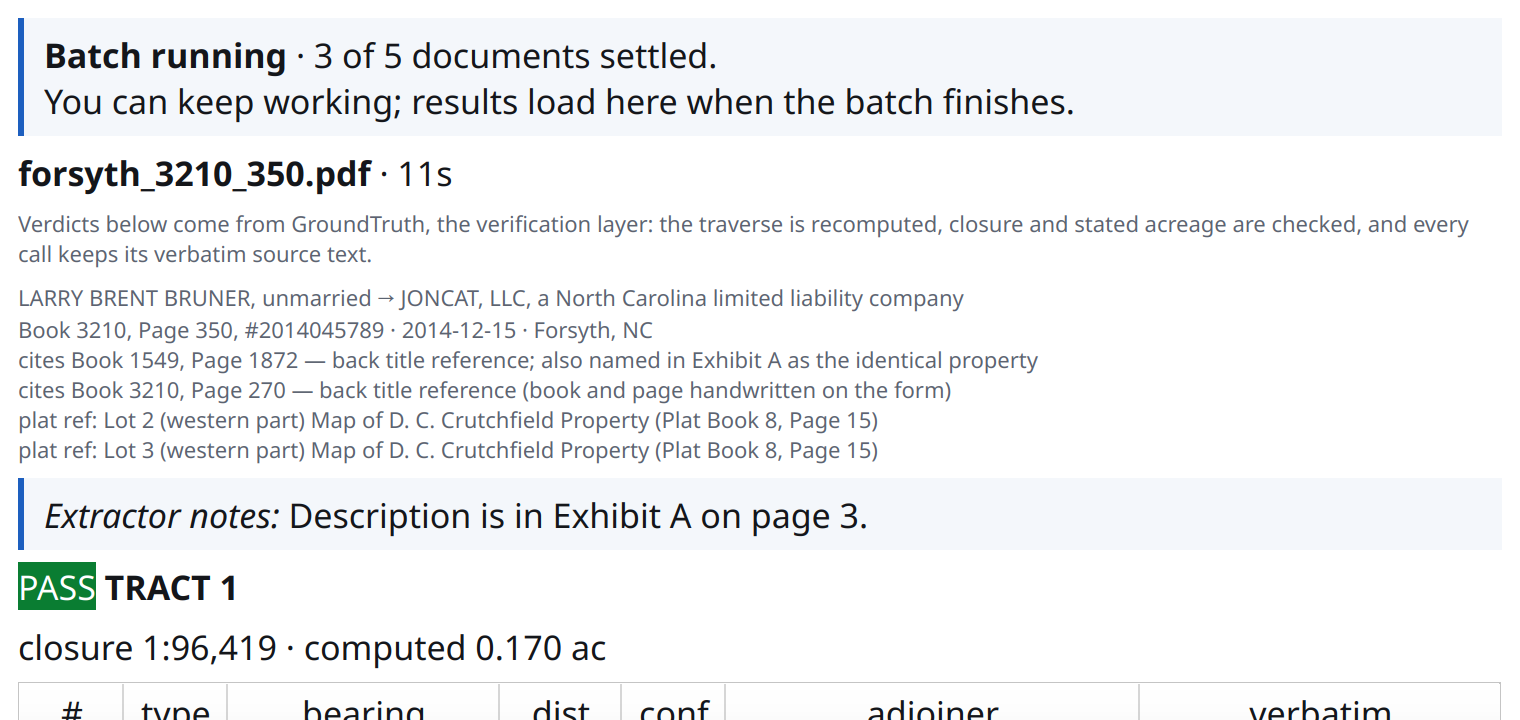
Section titled “A folder”Extract folder… submits every document in a directory as one batch. Results come back together, usually within the hour, and each document opens in the review dock as it would on its own.
The batch is admitted whole or refused whole, so a quota refusal costs nothing, and the progress card shows how many documents have settled while you keep working.
When it settles, the dock lists every document in the batch worst first: what could not be traversed, then what closed badly, then what verified, each row carrying its verdict, its closure ratio and the reason the service gave. One click opens any of them, and nothing is fetched or billed again, because the whole batch arrived together. The document you are reading is marked in the list rather than removed from it.
Reading order is the only thing the queue decides. PASS, REVIEW and FAIL are the service’s verdicts, and the browser sorts the same folder the same way.
What comes back
Section titled “What comes back”One card per tract: a verdict badge, the closure ratio, the computed area, and the full call table where every row keeps its verbatim source text. Tie courses render in their own table, separate from the boundary.
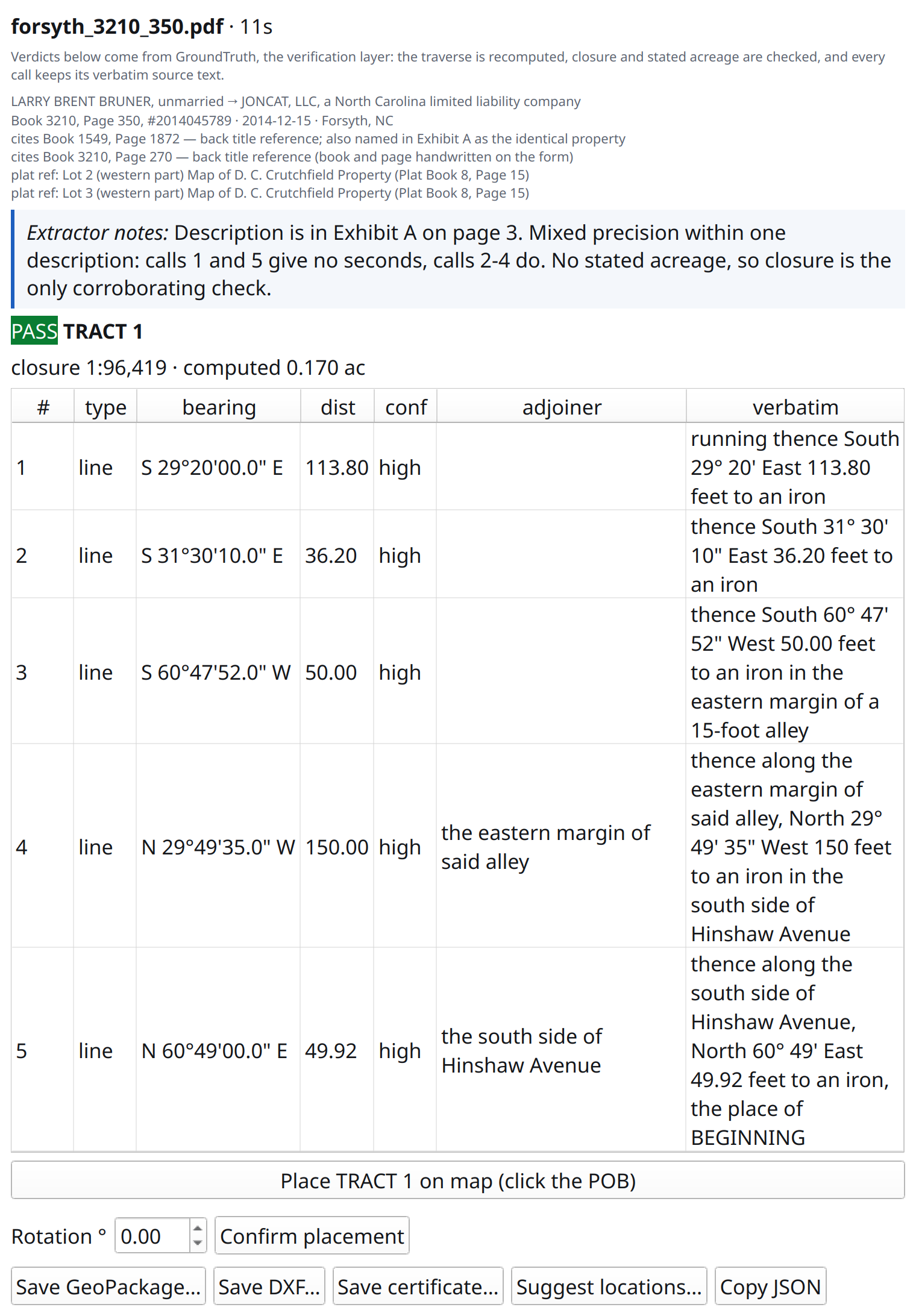
A 2014 Forsyth County deed: PASS, its closure ratio, and every call with the sentence it was read from.
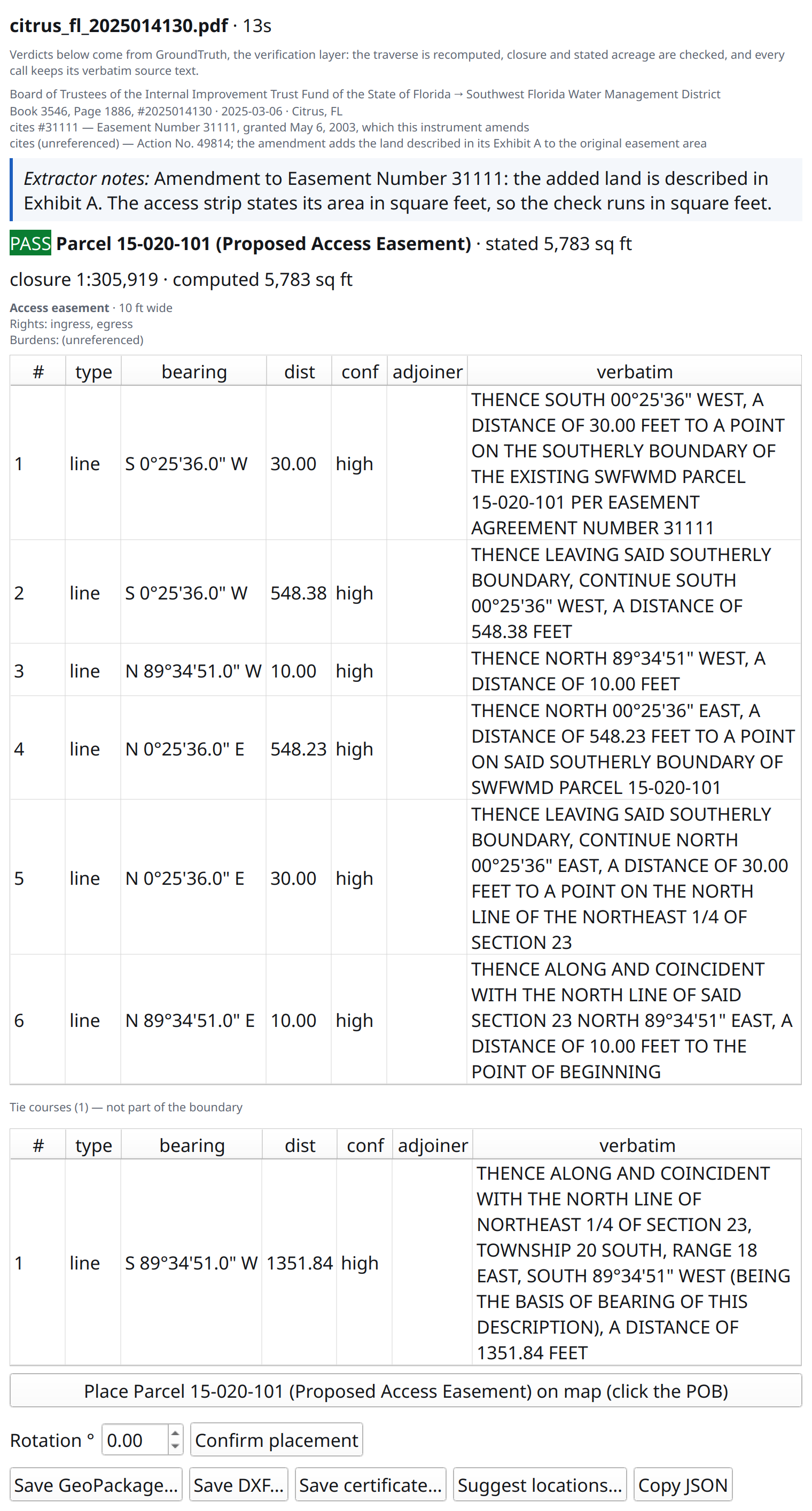
Recorded easements get a burden card as well: type, stated width, term, exclusivity, granted rights and the servient parcel, each from the document’s own words. Small easements verify against stated square footage, where rounded acreage is too coarse to check.
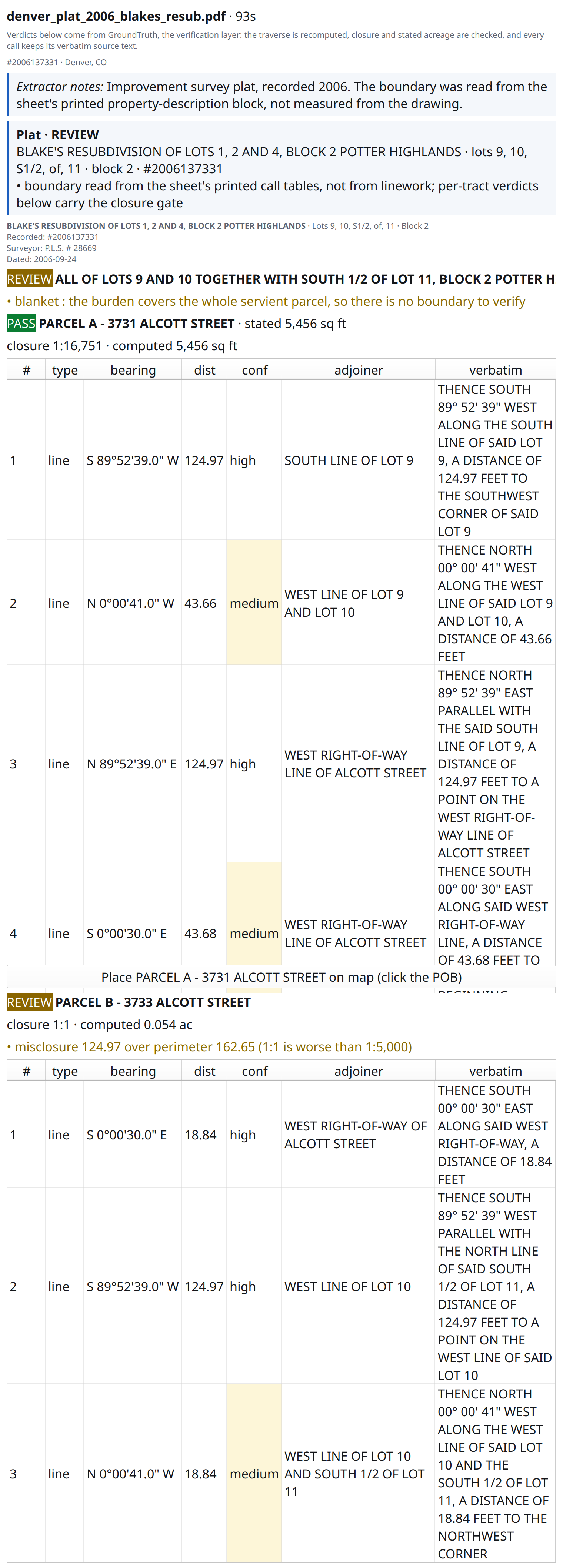
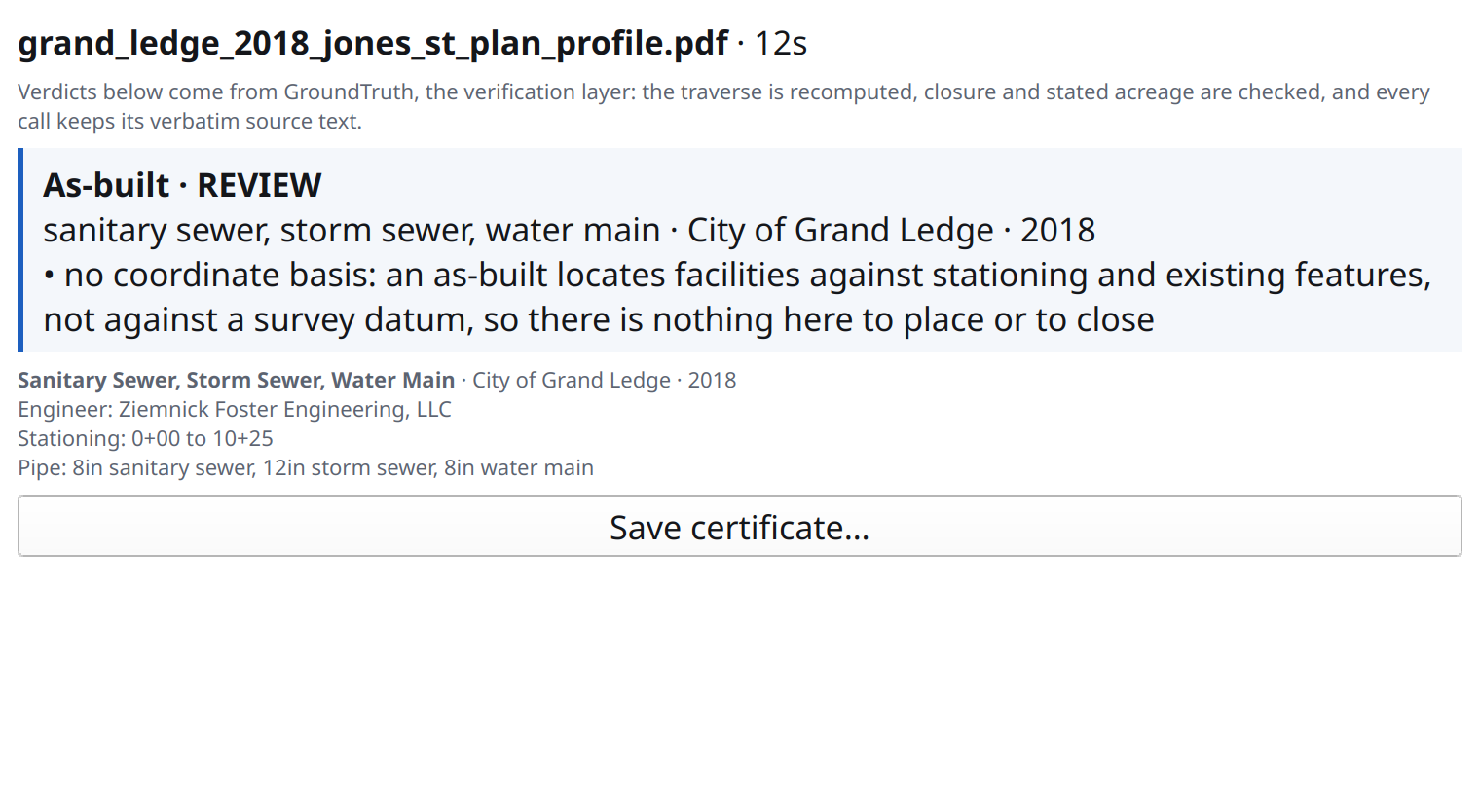
Recorded plats and utility as-builts are identified rather than ignored. See document classes for what each returns and what each refuses.
History: reopening and deleting
Section titled “History: reopening and deleting”History… on the Easting toolbar lists everything this key has run, newest first. Two things happen there.
Reopen. Select a run whose result is still held and press Open. It loads back into the review dock with its verdicts, geometry, and exports intact, and any tract you placed comes back on the map where you put it. Nothing is extracted and nothing is billed: the result is already paid for and the service still has it. Reopening a document that came from a folder collects the whole batch, with the one you picked first and the rest queued behind it.
Delete. Results are kept until you delete them, so this is where you clear what the service holds. Delete clears one run, Delete all clears everything this key has. Both ask first and neither can be undone. The run stays listed afterwards with its result marked deleted, because the record that the work happened outlives the work.
A key answers for its own work, so this window shows what this QGIS profile ran. The account-wide view, spanning the browser and any other keys you hold, is at app.easting.ai, and anything listed there opens there: a deed you extracted and placed here opens in the browser with its placement intact.